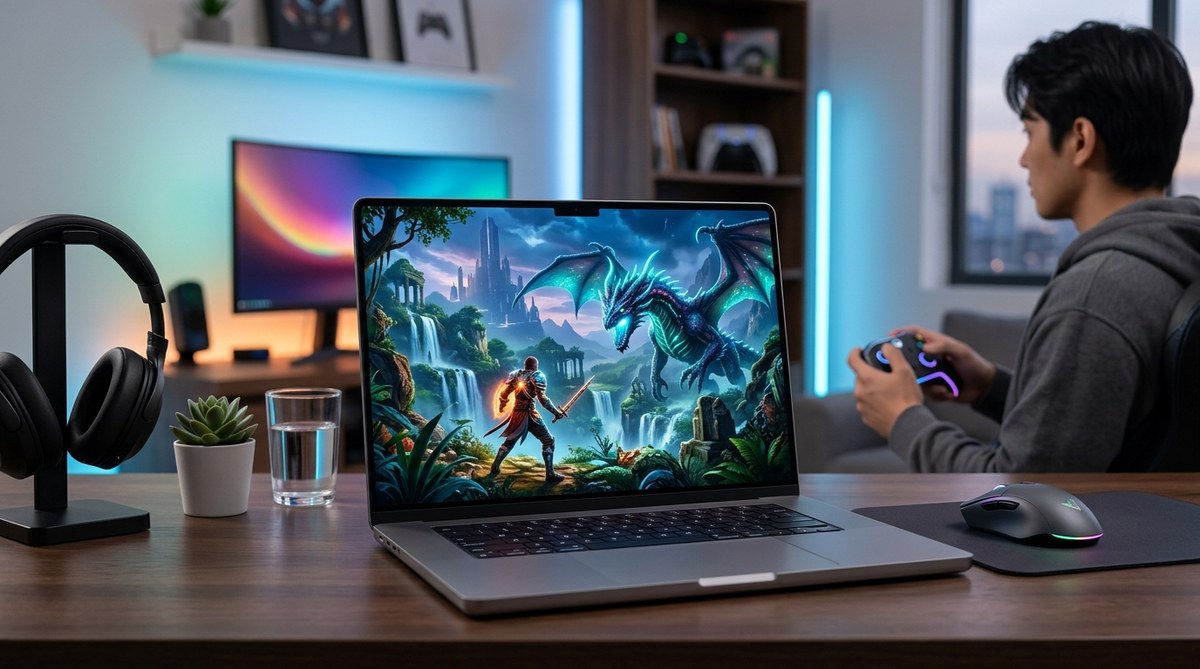
Gazing into 2026 is exciting for Mac gamers. Apple Silicon has matured, gaming engines are better optimized for macOS, and new ports and streaming options make it easier than ever to play a wide range of titles on a Mac. Whether you own a sleek MacBook Pro, a powerful iMac, or a dedicated Mac mini, there is something here for you. At macgames.org we love helping Mac gaming enthusiasts find the best experiences, from blockbuster role playing games to cozy indies and timeless classics. In this editors pick guide we break down the best Mac games you can play in 2026, with practical tips on setup, performance, and accessibility. Let’s dive in.
At a glance
- Cyberpunk 2077 on Mac — A big budget RPG with strong tech support on Apple Silicon through native ports and compatibility layers.
- Baldur’s Gate 3 — A sprawling RPG that finally shines on macOS with robust performance and deep systems.
- Resident Evil Village on Mac — A modern horror staple that works on Mac via compatibility layers and cloud options.
- Stardew Valley — A warmly crafted farming sim that runs smoothly on virtually every Mac.
- Diablo III — An evergreen dungeon crawler that still feels fresh with a solid control setup on macOS.
- Total War: Three Kingdoms — A grand strategy epic that has long been playable on Mac with good stability.
- Civilization VII — A strategic powerhouse that remains a strong pick for long sessions on macOS.
- Hollow Knight: Silksong — An acclaimed indie platformer that performs well on modern Macs when settings are dialed in.
- Casual classics like Minesweeper, 2048, and Tic Tac Toe — Easy to pick up and play between longer sessions.
- The Witcher 3: Wild Hunt — A timeless RPG that continues to feel at home on Mac with careful configuration.
Best Mac Games to play in 2026
Cyberpunk 2077 on Mac
- Why it belongs on your Mac in 2026: Cyberpunk 2077 remains one of the most ambitious open worlds around. On Mac you can push a high level of detail while maintaining a solid frame rate, especially on Apple Silicon with appropriate settings.
- How to run it:
- Ensure you are on a Mac with a capable GPU, preferably Apple Silicon with Metal support or a strong discrete GPU in Intel Macs.
- Use the latest macOS and the most current patch for Cyberpunk 2077 to maximize stability.
- If you encounter performance hiccups, try lowering crowd density and texture quality while keeping resolution reasonable.
- What to expect: A sprawling narrative with dense environments, a wide skill tree, and lore heavy quests. The PC-like experience translates surprisingly well to macOS when you optimize settings.
- Quick tips:
- Enable game mode optimizations in macOS to reduce background process interference.
- Use a wired controller for more precise aiming and faster input response.
- Keep an eye on energy use; longer play sessions can draw more power on laptops.
Baldur’s Gate 3 on macOS
- Why it belongs on your Mac in 2026: Baldur’s Gate 3 is a triumph of storytelling and tactical combat. The macOS port is polished, with frequent updates improving stability and performance.
- How to run it:
- Best on Macs with at least 16 GB RAM; Apple Silicon machines handle it well with metal optimizations.
- Install the latest patch and ensure you’re on the Steam or GOG version that supports macOS.
- Consider playing with a controller for certain turn based actions, though the keyboard and mouse still provide precision for spell casting and exploration.
- What to expect: Deep dialogue, strategic combat, and a living world that reacts to every choice. The mac port holds up to desktop quality on capable machines.
- Quick tips:
- Use cloud saves to synchronize progress across devices if you use a PC as well.
- Turn off V-Sync on high refresh displays if you notice frame pacing issues on laptops.
Resident Evil Village on Mac
- Why it belongs on your Mac in 2026: Resident Evil Village is a modern benchmark for atmosphere and visuals. Mac players can access the experience through several routes including compatibility layers and cloud streaming.
- How to run it:
- If you prefer a native feel, check for the latest macOS supported solutions or official ports that may appear via updates.
- Cloud streaming services like GeForce Now on macOS provide a solid alternative when native options are absent.
- For those using older Intel Macs, consider using Rosetta and performance patches from the publisher if available.
- What to expect: Intense horror pacing, a well designed world, and memorable boss encounters. The game scales well on higher end Macs.
- Quick tips:
- Enable headphones for immersive audio that heightens the fear factor.
- Save frequently in multiple slots to avoid losing progress during tough scenes.
Stardew Valley on Mac
- Why it belongs on your Mac in 2026: Stardew Valley remains the best laid back farming sim with deep systems and a comforting loop that still hooks players day after day.
- How to run it:
- Cross platform saves let you switch between Mac and other devices without missing a beat.
- The game runs great on nearly any Mac from recent years, and it scales gracefully on lower end machines.
- What to expect: Charming visuals, a relaxed pace, and a community centered around farm life, friendship, and mystery.
- Quick tips:
- Join co-op with friends for collaborative farming, mining, and fishing adventures.
- Take advantage of mods that add quality of life improvements while maintaining stability on macOS.
Diablo III on Mac
- Why it belongs on your Mac in 2026: Diablo III remains a gold standard for action RPGs on Mac thanks to fast combat, loot driven progression, and broad compatibility.
- How to run it:
- It runs smoothly on most Macs with a reasonable GPU; turn on dynamic lighting and reduce shadow quality if you need extra FPS.
- Use a game controller or keyboard and mouse depending on your preference for movement style.
- What to expect: A reliable loot grind, diverse classes, and seasonal content that keeps the action fresh.
- Quick tips:
- If you play in multiplayer, ensure your network connection is stable to minimize lag during group play.
- Try different character builds to see which one feels strongest on your hardware.
Total War: Three Kingdoms on Mac
- Why it belongs on your Mac in 2026: Total War: Three Kingdoms is a grand strategy epic with large battles, diplomacy, and empire management. Mac users have long enjoyed solid performance with the right settings.
- How to run it:
- Lower the battle texture quality for bigger battles on mid range Macs.
- Consider turning off anti aliasing to gain frames during large scale engagements.
- What to expect: A deep strategic layer paired with cinematic battles and a historically rich campaign.
- Quick tips:
- Save frequently and use quick save spots to track different strategic approaches.
- Optimize your field of view and camera settings to maintain clarity in large battles.
Civilization VII on Mac
- Why it belongs on your Mac in 2026: Civilization VII delivers the classic turn based grand strategy experience with modern graphics and refined AI diplomacy.
- How to run it:
- A strong RAM loadout boosts performance, especially during late game turns.
- Steam port on macOS is reliable, and saves integrate across platforms if you use cross progression.
- What to expect: A long form campaign with intricate mechanics including city planning, science, culture, and diplomacy.
- Quick tips:
- Plan your research tree ahead to avoid late game bottlenecks.
- Use watchful, patient play; long sessions reward careful planning.
Hollow Knight: Silksong on Mac
- Why it belongs on your Mac in 2026: This acclaimed indie metroidvania offers tight controls, thoughtful level design, and a challenging but rewarding combat system.
- How to run it:
- It runs well on modern Macs with integrated GPUs thanks to efficient 2D rendering.
- Consider lowering bloom and motion blur for smoother action sequences on laptops.
- What to expect: A finely crafted world with tight platforming, challenging bosses, and a strong progression loop.
- Quick tips:
- Practice parry timing to maximize your survivability in tough encounters.
- Explore every corner to uncover hidden upgrades and story elements.
2048, Minesweeper, Tic Tac Toe on Mac
- Why they belong on your Mac in 2026: These casual classics stay relevant for quick brain workouts or relaxing breaks between heavier games.
- How to run them:
- They run instantly on any macOS version and require minimal resources.
- What to expect: Simple, satisfying puzzles that sharpen decision making and pattern recognition.
- Quick tips:
- Use them to unwind after longer gaming sessions.
- Try local multiplayer on a single device or share screens with friends for quick social gaming.
The Witcher 3: Wild Hunt on Mac
- Why it belongs on your Mac in 2026: The Witcher 3 remains a benchmark for open world RPGs on Mac, with a compelling story and expansive world that still feels fresh.
- How to run it:
- Ensure you are on a Mac that meets recommended specs, especially for high resolution textures and post processing.
- Consider lowering some graphical settings on older Intel Macs while keeping it visually appealing on Apple Silicon.
- What to expect: Rich storytelling, memorable quests, and a world that rewards exploration.
- Quick tips:
- Use a controller for smoother combat and travel.
- Take advantage of photo mode to capture the stunning vistas while playing on a Mac.
How to optimize your Mac for gaming in 2026
- System architecture and OS choices
- Apple Silicon continues to boost performance per watt, and macOS updates often include gaming optimizations. If you have an Apple Silicon Mac, ensure you are on the latest macOS version and that games support Metal or Metal compatible backends.
- Performance tips
- Keep your Mac cooled during long sessions, especially when running demanding titles like Cyberpunk 2077 or Baldur’s Gate 3.
- Use Steam Play or Rosetta 2 appropriately for games that do not have a native Mac port, but prefer native builds when available for best stability.
- Hardware considerations
- Invest in at least 16 GB RAM for most modern titles, and a capable GPU in older MacBook Pros if you plan on high frame rates in open worlds.
- When streaming, ensure a stable internet connection and consider a wired Ethernet connection for lower latency.
- Controller and input
- Many Mac games support PS5 DualSense, Xbox, and Nintendo controllers. If you want the best experience, test several controllers to see which mapping feels most natural in a given game.
- For shooters and action games, a controller can provide precise aiming and more comfortable long sessions.
- Multiplatform and cloud options
- Cloud streaming services such as GeForce Now or similar can help you access AAA titles on Mac if native ports are limited.
- cloud access also means you can play on Mac with a reliable internet connection without heavy downloads or disk space.
Controller and Discord tips for Mac gaming
- Discord integration on macOS
- Many Mac gamers use Discord to chat with friends while playing. Ensure the latest Discord app is installed and configured to overlay with your Mac games if you want voice chat during sessions.
- PS5 controller compatibility
- The DualSense controller can work with many Mac games via Bluetooth or wired USB. In some cases you may need a small driver update or a Steam configuration tweak to map the analog sticks perfectly.
- Xbox and other controllers
- Xbox controllers generally have broad support on macOS via Steam Input or native integration in the game. If you run into mapping issues, check the in-game control settings and Steam’s controller configuration.
Editor’s notes for 2026 Mac gamers
- Why these picks matter: The list covers a range from big budget AAA titles to indie darlings and casual classics. It demonstrates how Mac gaming has evolved with Apple Silicon and improved macOS support, while still offering room for classic favorites.
- What’s new on macgames.org: We continuously update our guides with new ports, patches, and compatibility notes so Mac players can focus on enjoying the game rather than troubleshooting. Our editors test each title on a range of Mac configurations to provide realistic performance expectations.
Frequently asked questions (FAQs)
- Are AAA Mac games worth it in 2026?
- Yes. Major titles have matured with strong Mac support and compatibility layers. With good hardware and proper settings, you can enjoy AAA experiences on macOS that rival Windows performance.
- Can I play dragon era or heavy open world titles on MacBook Air?
- It depends on your model and configuration. The latest MacBook Airs with M series chips can handle several modern titles at lowered settings, but for peak performance you may want a more capable MacBook Pro or desktop Mac with a dedicated GPU.
- What about offline play and cross progress?
- Many games offer cross save across platforms when you are signed into the same account. Always check the game’s official pages for cross save and online features.
- Is cloud gaming a good option for Mac players?
- Cloud gaming is a solid option if you have stable internet. It lets you access high end titles that might not run on your current hardware, though it requires a reliable connection and sometimes a subscription.
- How can I optimize a Mac for long gaming sessions?
- Keep the system cool, update to the latest macOS, adjust game graphics settings to balance visuals and frame rate, and consider a wired controller for comfort and precision.
Final thoughts
The Mac gaming landscape in 2026 is more diverse and accessible than ever. From Cyberpunk 2077 and Baldur’s Gate 3 to beloved classics like Stardew Valley and Diablo III, you have an impressive catalog at your fingertips. With the right setup, whether you are on a high end MacBook Pro or a capable desktop Mac, you can enjoy rich, immersive experiences that look stunning and run smoothly on macOS. At macgames.org we will keep exploring new ports, performance tips, and controller setups so you can focus on the fun. Here’s to many hours of gaming on your Mac in the year ahead.
Leave a Reply